Complete Drum Mixing Plugin Chain: Best Tools for Punchy Drums (2026)
TL;DR: The fastest path to punchy, professional drums in 2026 is a five-step plugin chain: EQ → transient shaping → low-end reinforcement → bus compression → optional multiband finishing. FabFilter Pro-Q 4 is the non-negotiable anchor, but every tool in this chain earns its slot — including one free plugin that punches well above its price tag.
Quick Picks at a Glance
| Plugin | Price | Best For | Get It |
|---|---|---|---|
| FabFilter Pro-Q 4 | $199 | Surgical EQ & frequency cleanup | Plugin Boutique |
| Waves SSL G-Master Buss Compressor | $29.99 | Drum bus glue & punch | Plugin Boutique |
| Transient Master (NI) | $99 | Fast attack/sustain shaping | Plugin Boutique |
| SPL Transient Designer | $99 | Analog-modeled transient control | Plugin Boutique |
| bx_boom! | $29.99 | Kick body & sub reinforcement | Plugin Boutique |
| OTT (Xfer) | Free | Multiband upward compression & glue | Plugin Boutique |
Introduction
Getting drums to hit hard is one of the most searched topics in music production — and for good reason. A badly mixed drum bus can drag down an otherwise polished track, while a well-processed kit can make a bedroom production sound like it belongs on a major-label release. Knowing which best drum mixing plugins 2026 belong in your chain, and in what order, is the difference between spending hours chasing punch and dialing it in within minutes.
The problem isn’t a shortage of drum plugins. It’s the opposite — there are hundreds of compressors, EQs, transient shapers, and enhancers competing for your signal chain, and most tutorials treat each tool in isolation. This guide takes a different approach: a sequenced, step-by-step workflow built around six carefully chosen tools that each handle a discrete job.
Whether you’re mixing a live kit recorded in a studio, programming beats in a DAW, or dropping loops into a hybrid production, this chain scales to every situation. Each step has a clear purpose, a recommended plugin, and a direct link to grab it.
Step 1: Surgical EQ — Carve Before You Color
Before you compress or enhance anything, the drum bus needs to be clean. Problem frequencies — boxy mids, muddy low-mids, harsh stick transients — compound at every later stage. EQ first, everything else after.
FabFilter Pro-Q 4 — The non-negotiable starting point for drum bus EQ
- Developer: FabFilter
- Price: $199
- Platforms: Windows, macOS
- Formats: VST, VST3, AU, AAX
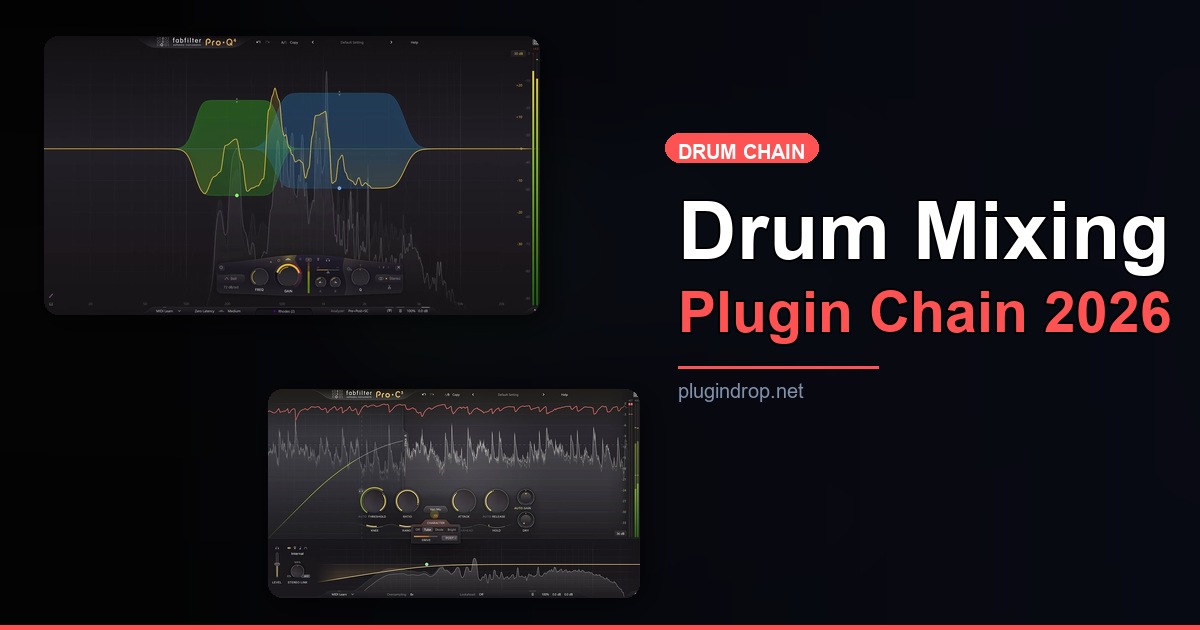
Pro-Q 4 is the EQ that professional mixing engineers reach for when accuracy matters. The dynamic EQ mode is particularly useful on drums: it lets you tame resonances — that ring in a snare, the boxiness in a kick — only when they cross a threshold, rather than cutting them statically. The spectrum analyzer with inter-channel collision detection (showing frequency clashes with other tracks in real time) makes it genuinely faster to work with than any other EQ on the market. For a drum bus, a high-pass around 30–40 Hz to remove unnecessary sub rumble, a dynamic cut around 200–400 Hz to control boxiness, and a subtle air boost above 12 kHz are all the starting points you need.
Best for: Any producer who mixes more than a handful of tracks a month and needs an EQ that doubles as a diagnostic tool.
→ Get FabFilter Pro-Q 4 on Plugin Boutique
Watch it in action: FabFilter Pro-Q 4 Demo on YouTube
Step 2: Transient Shaping — Control the Attack and Sustain
After EQ, the next most impactful move on a drum bus is shaping the transients. Transient shapers work outside of level — they don’t care how loud something is, only how fast it attacks and how long it rings out. Two tools dominate this space, and both have a place in this chain depending on your workflow.
Transient Master (NI) — Fast, musical transient shaping for any genre
- Developer: Native Instruments
- Price: $99
- Platforms: Windows, macOS
- Formats: VST3, AU, AAX, Standalone
Native Instruments’ Transient Master is built for speed. Four controls — Attack, Sustain, Gain, and a limit switch — make it one of the least intimidating transient shapers available, yet the results are consistently musical. Crank the Attack knob clockwise and kick and snare transients sharpen up immediately; pull the Sustain back to tighten the room bleed on a live kit. It responds well at subtle settings, which is where most drum bus processing actually happens — a few percent of attack boost, a few percent of sustain reduction, and suddenly the kit locks in tighter than any compressor alone can achieve.
Best for: Producers who want reliable, fast transient control without diving into menus.
→ Get Transient Master on Plugin Boutique
SPL Transient Designer — The analog-modeled original with extra surgical control
- Developer: SPL
- Price: $99
- Platforms: Windows, macOS
- Formats: VST, AU, AAX
SPL invented the transient designer concept in hardware, and the plugin version carries that legacy faithfully. Where Transient Master leans toward musical feel, the SPL model adds a Length control that lets you fine-tune how the sustain tail decays — useful on live drum recordings where you want room ambience to feel natural rather than chopped. The SPL also has a slightly more analog-flavored character in its processing, which some engineers prefer when working with acoustic kits. Use it if your drum recordings have complex room sound that needs more nuanced shaping than a two-knob tool allows.
Best for: Engineers mixing live-recorded drum kits who need precise sustain tail control.
→ Get SPL Transient Designer on Plugin Boutique
Step 3: Low-End Reinforcement — Build the Foundation
With the frequency balance set and transients shaped, this is the moment to reinforce the kick’s weight and low-end presence before bus compression locks everything in place.
bx_boom! — Targeted kick enhancement that translates on every system
- Developer: Brainworx
- Price: $29.99
- Platforms: Windows, macOS
- Formats: VST, VST3, AU, AAX
bx_boom! is a specialized drum enhancer focused specifically on kick drums and low-end presence. It uses Brainworx’s M/S processing alongside tunable resonant enhancement to add controlled body and sub weight to a kick — without muddying the mix or clashing with bass. You can tune the resonance frequency to match your kick’s fundamental, dial in how much sub-weight to add, and control the enhancement’s attack response. The result is a kick that hits harder on speakers and translates on headphones and small monitors alike. It’s a narrow-use tool that does exactly one thing exceptionally well.
Best for: EDM, hip-hop, and pop producers who need kick drums to hit harder without adding mud.
→ Get bx_boom! on Plugin Boutique
Step 4: Bus Compression — Glue the Kit Together
This is where the individual elements of a drum kit — kick, snare, hats, overheads — stop sounding like separate recordings and start sounding like a cohesive instrument. Bus compression is the step most often over-applied; the goal is glue and punch, not squashing.
Waves SSL G-Master Buss Compressor — The SSL sound in every DAW
- Developer: Waves
- Price: $29.99
- Platforms: Windows, macOS
- Formats: VST3, AU, AAX
The SSL G-Bus compressor is one of the most widely used bus compressors in professional mixing, and Waves’ emulation is the affordable entry point for producers who want that sound. The character comes from the VCA-style compression — fast, punchy, and musical — combined with the auto-release mode that breathes with the groove rather than fighting it. On a drum bus, a ratio of 4:1, a medium attack (10–30ms to let transients through), and the auto-release setting will add cohesion and punch without killing the dynamics that make drums feel alive. It’s available for an extraordinarily low price in 2026, making it one of the highest-value tools in this entire chain.
Best for: Any genre that benefits from a cohesive, punchy drum bus — which is effectively every genre.
→ Get Waves SSL G-Master Buss Compressor on Plugin Boutique
Watch it in action: Waves SSL G-Master Demo on YouTube
Step 5: Optional Finishing — Multiband Saturation for Edge and Presence
Not every drum bus needs this step — but for electronic genres, hip-hop, and any production where drums compete with dense instrumentation, a final pass of upward compression can add the shimmer and presence that separates a good mix from a great one.
OTT (Xfer Records) — Free upward compression with serious edge
- Developer: Xfer Records
- Price: Free
- Platforms: Windows, macOS
- Formats: VST, AU
OTT is a free three-band upward compressor — meaning it brings up quiet parts rather than pushing down loud ones — that has become a genre-defining sound in electronic music and is increasingly common in hip-hop and hybrid production. On a drum bus, using OTT at 15–25% depth (the top-level Depth knob) adds presence and shimmer without introducing the harshness that full settings can cause. The three-band architecture means lows, mids, and highs are treated independently, so you can preserve the sub weight while adding air to the tops. It’s free, it sounds excellent, and there’s no legitimate reason not to have it installed.
Best for: Electronic music, lo-fi, trap, and any producer who wants the upward-compressed shimmer sound.
→ Download OTT on Plugin Boutique
Watch it in action: OTT Demo on YouTube
Worth Upgrading To (Paid Options)
Once your chain is locked in, two paid expansions offer capabilities that none of the core chain tools provide.
Waves SSL Bundle — The complete SSL signal path for drum production
- Developer: Waves
- Price: $299
- Why upgrade: The SSL G-Master is excellent, but the full Bundle adds the SSL E-Channel (for individual drum channel EQ and compression), the SSL G-Equalizer, and additional SSL dynamics tools — giving you a complete SSL signal path from individual drum tracks through to the bus, rather than a single bus compressor in isolation.
→ Get Waves SSL Bundle on Plugin Boutique
FabFilter Pro-MB — Surgical multiband compression for total control
- Developer: FabFilter
- Price: $199
- Why upgrade: OTT handles upward compression brilliantly for stylistic effect, but it’s not a surgical tool. Pro-MB adds per-band dynamic EQ and multiband compression with FabFilter’s visual interface, making it ideal for taming specific problem frequency ranges on a drum bus without affecting the overall character — something OTT cannot do with precision.
→ Get FabFilter Pro-MB on Plugin Boutique
Watch it in action: FabFilter Pro-MB Demo on YouTube
Full Comparison Table
| Plugin | Price | Type | Highlights | Get It |
|---|---|---|---|---|
| FabFilter Pro-Q 4 | $199 | EQ | Dynamic EQ, inter-channel spectrum analysis | Plugin Boutique |
| Transient Master (NI) | $99 | Transient Shaper | 4-control simplicity, musical response | Plugin Boutique |
| SPL Transient Designer | $99 | Transient Shaper | Analog character, Length control | Plugin Boutique |
| bx_boom! | $29.99 | Drum Enhancer | Tunable kick sub reinforcement, M/S processing | Plugin Boutique |
| Waves SSL G-Master | $29.99 | Bus Compressor | VCA glue, auto-release, classic SSL character | Plugin Boutique |
| OTT (Xfer) | Free | Upward Compressor | 3-band upward compression, presence & shimmer | Plugin Boutique |
| Waves SSL Bundle | $299 | Bundle | Full SSL signal path, channel + bus tools | Plugin Boutique |
| FabFilter Pro-MB | $199 | Multiband Compressor | Surgical per-band dynamics, visual interface | Plugin Boutique |
How to Choose
- If you mix live acoustic drums, prioritize the SPL Transient Designer over the Transient Master — the Length control gives you more nuanced room tail management on real performances.
- If you produce electronic beats, bx_boom! and OTT are both essential: the former locks in sub weight, the latter adds the shimmering, hyper-compressed edge that defines modern electronic drum sounds.
- If your budget is under $60 total, start with the Waves SSL G-Master ($29.99) and OTT (Free) — those two alone will transform a flat drum bus into something competitive.
- If you’re already using FabFilter for EQ, the Pro-MB upgrade is logical and cost-efficient — you get a familiar interface and the multiband control fills the one gap in this chain that OTT can’t address surgically.
- If you’re working on commercial releases across multiple genres, invest in Pro-Q 4 as the foundational tool — its dynamic EQ capabilities eliminate the need for multiple specialized EQ plugins across every session.
FAQ
Do I need all five steps in my drum chain, or can I use fewer? Start with EQ and bus compression (Steps 1 and 4) — those two alone will make the biggest difference. Add transient shaping (Step 2) when the kick or snare attack needs tightening. Steps 3 and 5 are genre-dependent and optional for acoustic or jazz-style mixing.
Should I use a transient shaper before or after compression? Before. Transient shapers shape the envelope of the signal, and a compressor after them will respond more predictably to a transient that’s already been intentionally sculpted. Running a compressor first can suppress the very transients you’re trying to enhance.
Can I use this entire chain on individual drum tracks instead of just the bus? Yes, with adjustments. Pro-Q 4 and transient shaping work well on individual tracks. bx_boom! is specifically useful on the kick channel. The SSL G-Master is designed for bus use — on individual tracks, a standard channel compressor (SSL E-Channel, API 2500, etc.) will feel more appropriate.
Is OTT too aggressive for mixing — isn’t it mainly a sound design tool? At full settings, yes — it’s extreme. But at 10–25% Depth, OTT adds a subtle multiband lift that increases perceived loudness and presence without introducing obvious pumping. Many professional engineers use it at low settings as a finishing step even in commercial pop and rock mixes.
What order should these plugins run in the signal chain? The recommended signal order: EQ (Pro-Q 4) → Transient Shaper → bx_boom! → SSL G-Master Bus Compressor → OTT (optional). The key principle is to clean and shape before compressing, and to compress before adding the final finishing layer.
Final Thoughts
The best drum mixing plugin chain in 2026 isn’t the most expensive one — it’s the one with each slot performing a defined, non-overlapping job. EQ cleans the source, transient shaping defines the attack character, low-end reinforcement adds weight, bus compression creates cohesion, and optional upward compression delivers final presence. FabFilter Pro-Q 4 remains the standout investment in this chain, delivering both diagnostic and corrective EQ capabilities no other tool in the market matches at this depth.
If you’re starting today, grab the SSL G-Master and OTT first — they’re the lowest-cost, highest-impact combination in this entire list.
→ Start with the Waves SSL G-Master Buss Compressor on Plugin Boutique
This post contains affiliate links. We may earn a small commission at no extra cost to you.
Related Guides
- Plugin Bundle Price Comparison 2026 — Cost Per Plugin Ranked
- Best Free Drum Machine VST Plugins 2026
- Best Free Compressor VST Plugins 2026
- Best Compressor Plugins for Drums 2026
This post contains affiliate links. We may earn a small commission at no extra cost to you.