How to Mix Drums with Plugins: Complete Step-by-Step Guide (2026)
TL;DR: For drum mixing in 2026, FabFilter Pro-Q 3 handles the surgical EQ work that defines clarity and punch, while the Waves SSL G-Master Buss Compressor delivers the bus glue that holds a kit together. Start with those two, add Transient Master for punch shaping, and grab OTT free for parallel density in electronic contexts — that chain covers every major drum mixing scenario.
Quick Picks at a Glance
| Plugin | Price | Best For | Get It |
|---|---|---|---|
| FabFilter Pro-Q 3 | $179 | Surgical EQ, resonance control | Official Site |
| Waves SSL G-Master Buss Compressor | ~$30 | Bus glue, cohesion | Official Site |
| Transient Master (NI) | $49 | Kick/snare punch shaping | Official Site |
| OTT (Xfer Records) | Free | Parallel density, electronic drums | Free Download |
Introduction
The most common mistake producers make when mixing drums isn’t picking the wrong compressor — it’s processing in the wrong order. Overcompressed kick drums with clamped transients and boosted mud at 250Hz are a staple of amateur mixes not because producers lack talent, but because the workflow is wrong. The correct sequence — clean, shape, glue, enhance — is the framework professional drum mixing is built on, and knowing which plugins serve each role is more important than any single plugin choice.
In 2026, the drum mixing VST plugin landscape has consolidated around a small number of tools that producer communities return to consistently. KVR forums, r/audioengineering, and r/edmproduction repeatedly surface the same names when producers ask how to mix drums with VST plugins, and the reasons are technical, not just hype. This guide covers four of the most consistently recommended tools, explains where in the signal chain each belongs, and gives you the workflow logic to use them without guessing.
This guide is for producers who already understand the basics — you know what a compressor does, you’ve mixed drums before — but want to understand the reasoning behind the tool choices that make drum mixes sound controlled rather than just processed.
The Drum Mixing Signal Chain
Before touching plugins, the framework matters. Professional drum mixing follows a consistent signal flow that the community agrees on regardless of genre:
- Individual track EQ — cut problems before they compound downstream
- Transient shaping — define attack and tail character per element
- Bus compression — cohere the kit into a single sonic object
- Parallel processing — add density and weight without killing dynamics
Each plugin in this guide occupies one of these four roles. Using them in this order — and understanding why each step precedes the next — is what separates a drum mix that sounds controlled from one that just sounds squashed.
Step 1: Surgical EQ — Remove Problems Before They Compound
Cutting before boosting is a principle that has survived every trend cycle in music production. On drums, the most damaging frequencies are the ones producers struggle to hear clearly: 200–400Hz mud on kick and snare, buildup in the 1–3kHz range on toms, and resonant peaks in room mics that turn a live-sounding kit into a washy mess.
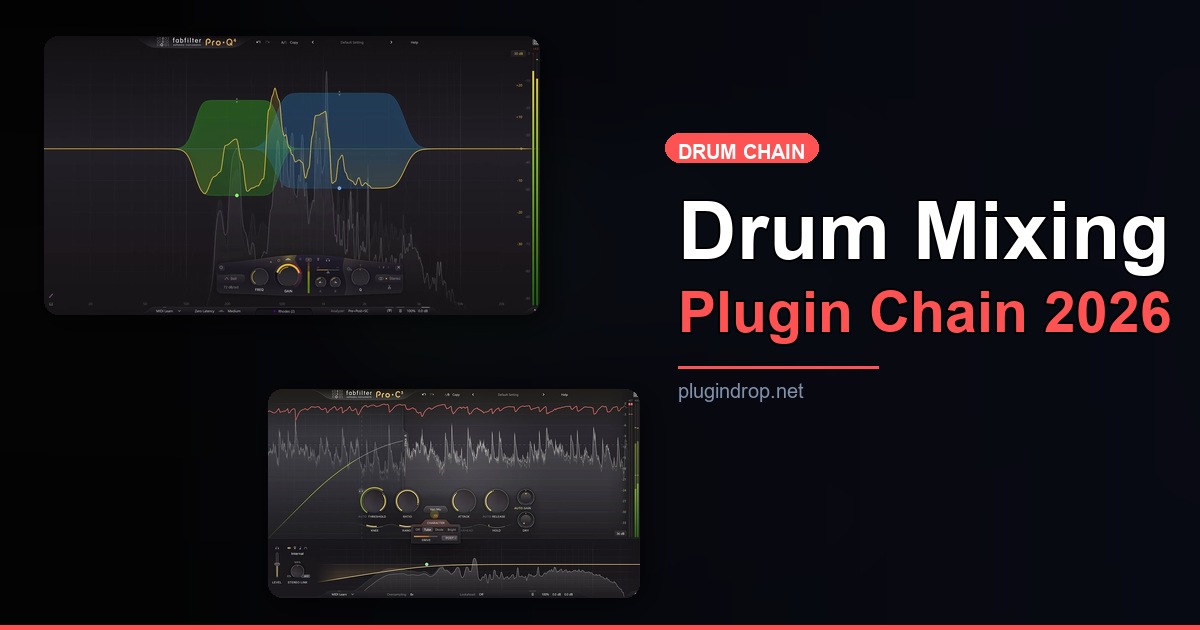
FabFilter Pro-Q 3 — The Community’s Default Choice for Drum EQ
- Developer: FabFilter
- Price: $179
- Platforms: Windows, macOS
- Formats: VST2, VST3, AU, AAX
FabFilter Pro-Q 3’s position as the community’s go-to surgical EQ for drums comes down to two features that matter specifically in this context: the real-time spectrum analyzer with inter-plugin collision detection, and per-band dynamic EQ. r/audioengineering consistently cites the dynamic EQ capability as the decisive advantage — it lets you cut a snare’s 2kHz resonance only when it’s actually resonating, rather than applying a static cut that kills the snare’s character on softer hits. The collision detection displays frequency content from other tracks, making it practical to EQ kick and snare relative to each other rather than in isolation.
Developer documentation confirms linear phase mode for when phase coherence across a stereo drum bus matters, alongside a zero-latency natural phase mode for tracking or low-latency mixing scenarios.
Best for: Kick mud removal, snare resonance control, tom high-passing, room mic cleanup
Step 2: Transient Control — Define Punch Before You Compress
Transient shaping belongs before bus compression in the drum mixing chain because compression amplifies whatever transient character already exists. Shaping a kick drum’s attack and tail before the bus compressor sees it means you’re telling the compressor exactly what kind of signal to glue — not hoping compression accidentally creates the punch you wanted.
Transient Master (Native Instruments) — Two Knobs, Immediate Results
- Developer: Native Instruments
- Price: $49
- Platforms: Windows, macOS
- Formats: VST2, VST3, AU, AAX
The community’s consistent recommendation of Transient Master stems from its radically minimal interface: two controls, Attack and Sustain, with positive and negative ranges on each. r/audioproduction and KVR discussions regularly cite it as the plugin that clarifies what transient shaping actually sounds like, precisely because there’s nothing else to adjust. Increasing Attack tightens the front edge of a kick or snare hit; decreasing Sustain shortens the tail without the pumping artifacts a fast-releasing compressor introduces. Native Instruments’ documentation describes it as operating with an internal parallel architecture, which contributes to why heavy settings don’t destroy the natural character of the source.
For a standard rock or hip-hop drum mix, the most documented community workflow is a mild Attack increase on the kick (+2 to +4) and a Sustain reduction on toms to prevent room bleed from washing into the next beat.
Best for: Kick click/punch balance, snare snap control, tom ring management
Step 3: Bus Compression — Glue the Kit Into One Object
Once individual elements are cleaned and shaped, the drum bus compressor’s job is to make the whole kit feel like one instrument rather than separate tracks playing simultaneously. This “glue” — the term the community universally uses — comes from the compressor responding to the loudest elements (usually kick) and subtly reducing the rest of the kit in relation, creating a unified dynamic envelope across the bus.
Waves SSL G-Master Buss Compressor — The Industry-Standard Glue Compressor
- Developer: Waves
- Price: ~$30 (Waves pricing varies)
- Platforms: Windows, macOS
- Formats: VST2, VST3, AU, AAX
The Waves SSL G-Master Buss Compressor is the most frequently cited drum bus compressor in producer communities at any price point. KVR’s plugin reviews and r/audioproduction recommendations consistently reference its Auto release mode as the feature that makes bus compression feel musical rather than mechanical — Auto release adapts to the tempo and density of the material, reducing pumping artifacts without requiring manual release time adjustment. The plugin models the SSL 4000 G-series hardware bus compressor, and the community consensus is that the emulation captures the harmonic density and transient rounding behavior of the hardware rather than just the gain reduction curve.
The most documented community starting point for drum bus work is a 4:1 ratio, 10–30ms attack to preserve transients, Auto release, and 2–4dB of gain reduction. The Fade switch engages the original hardware fader circuit behavior.
Best for: Drum bus cohesion, parallel compression, live kit glue
→ Get Waves SSL G-Master Buss Compressor
Step 4: Parallel Density — Add Aggression Without Losing Dynamics
Parallel processing — sending the drum bus to a second chain and blending the processed signal back in — is the technique the community uses when full-chain compression isn’t delivering enough density. In electronic music contexts particularly, this step is where a drum mix moves from “clean” to “energetic.”
OTT (Xfer Records) — The Free Multiband Secret Weapon
- Developer: Xfer Records
- Price: Free
- Platforms: Windows, macOS
- Formats: VST, AU, AAX
OTT is a free multiband upward/downward compressor that r/edmproduction consistently describes as the most commonly used parallel processing tool in electronic music. Originally based on a classic Ableton preset design, it applies simultaneous upward compression (boosting quieter elements) and downward compression (controlling peaks) across three frequency bands. The Depth knob controls wet/dry blend directly, which makes it natural to use at reduced depth on a parallel drum bus — community documentation frequently cites 30–50% Depth as a starting point for adding density without obviously processing the sound.
On acoustic drum kits, OTT in this role is less common; community discussion there trends toward saturation rather than multiband upward compression. For electronic, trap, and pop drum programming specifically, KVR and r/edmproduction consistently rate it as the plugin that adds the hyped density sample libraries alone don’t provide.
Best for: Electronic drum programming, parallel density, sample-based kits
Worth Upgrading To
Waves SSL 4000 Collection — The Full Hardware Console Suite
- Developer: Waves
- Price: Bundle pricing (varies)
- Why upgrade: The SSL G-Master Buss Compressor handles drum bus compression, but the SSL 4000 Collection adds the channel strip EQ and dynamics that define the SSL 4000 console sound. This becomes relevant when you want the same harmonic character running per-channel on individual drum tracks as well as the bus — an approach Gearspace and KVR document as the “all-SSL drum chain.”
→ Get Waves SSL 4000 Collection
FabFilter Total Bundle — The Complete FabFilter Processing Chain
- Developer: FabFilter
- Price: Bundle pricing (varies)
- Why upgrade: Pro-Q 3 alone handles EQ, but the Total Bundle adds Pro-C 2 (FabFilter’s compressor), Pro-MB (multiband dynamics), and Pro-L 2 (limiter) — tools the community recommends for completing the drum bus processing chain when Pro-Q 3 is already central to the workflow.
→ Get FabFilter Total Bundle on Plugin Boutique
Full Comparison Table
| Plugin | Price | Type | Highlights | CTA |
|---|---|---|---|---|
| FabFilter Pro-Q 3 | $179 | EQ | Dynamic EQ, spectrum collision detection, linear phase mode | Get It |
| Waves SSL G-Master Buss Compressor | ~$30 | Bus Compressor | SSL 4000 G emulation, Auto release, glue compression | Get It |
| Transient Master (NI) | $49 | Transient Shaper | Attack/Sustain two-knob control, internal parallel architecture | Get It |
| OTT (Xfer Records) | Free | Multiband Compressor | Upward/downward multiband, Depth blend control | Free |
| Waves SSL 4000 Collection | Bundle | Channel Strip Suite | Full SSL 4000 console emulation including per-channel EQ and dynamics | Plugin Boutique |
| FabFilter Total Bundle | Bundle | Full Suite | Complete dynamics, EQ, and limiting chain from a single developer | Plugin Boutique |
How to Choose
- If your kick and snare sound muddy or cluttered in the mix, start with FabFilter Pro-Q 3’s dynamic EQ on individual tracks — the spectrum collision detection will show you precisely which frequencies are conflicting with other elements before you make a single cut.
- If your drum bus sounds like separate tracks rather than a cohesive kit, the Waves SSL G-Master Buss Compressor’s Auto release mode is the fastest documented path to fixing this: 4:1 ratio, 10–20ms attack, 2–4dB of gain reduction.
- If your kick sounds soft or your snare lacks snap, place Transient Master before the bus compressor and increase Attack — this is the correct workflow before reaching for more compression, which will only flatten what’s already there.
- If you’re producing electronic music and the drums sound thin or lifeless, OTT at 30–40% Depth on a parallel return is the technique r/edmproduction most consistently recommends for density without destroyed transients.
- If you’re already committed to the FabFilter workflow, the Total Bundle adds the compressor and limiter to complement Pro-Q 3’s EQ work — the community consistently describes Pro-C 2 and Pro-Q 3 together as a complete channel processing chain.
FAQ
Do I need all four of these plugins to mix drums? No. The most common community-recommended starting point is an EQ and a bus compressor — Pro-Q 3 and the SSL G-Master cover the two most critical drum mixing functions. Transient Master and OTT address specific problems (weak transients, thin electronic drums) rather than universal needs.
Should I EQ before or after compression when mixing drums? Community consensus on r/audioengineering favors EQ before compression on individual drum tracks — so the compressor responds to an already-cleaned signal — and a second EQ after compression on the bus for tonal shaping once the dynamic behavior is set. Pro-Q 3’s zero-latency and linear phase modes accommodate both positions in the chain.
Is the Waves SSL G-Master Buss Compressor the same as the hardware? It is a software model of the SSL 4000 G-series hardware bus compressor. KVR forum comparisons and developer documentation describe the plugin as an emulation that includes harmonic character and rounding behavior, not just the gain reduction curve. Whether it is sonically identical to any specific hardware unit is a debate the community actively continues, but its practical utility on drum buses is not disputed.
What’s the difference between transient shaping and compression for drums? Compression responds to amplitude over time, applying gain reduction based on a threshold. Transient shaping specifically targets the attack and decay characteristics of a transient regardless of overall level, which is why Transient Master can increase kick punch without the pumping behavior a fast-attack compressor introduces. They complement rather than substitute for each other.
Is OTT suitable for live drum recording or just programmed drums? OTT is primarily documented in electronic music contexts. For live-recorded acoustic drums, the community more commonly recommends saturation or tape emulation for adding density, as OTT’s upward compression behavior can exaggerate room noise and bleed that acoustic recordings contain.
Related Guides
- 12 Best Free Compressor VST Plugins in 2026 (Every Style Covered)
- 10 Best Free Delay VST Plugins in 2026 (Tape, Digital, Multi-tap)
- 10 Best Free EQ VST Plugins in 2026 (Mixing & Mastering)
- 12 Best Free VST Plugins for Ableton Live in 2026
- 15 Best Free VST Plugins for FL Studio in 2026
Final Thoughts
The drum mixing workflow this guide covers — EQ, transient shaping, bus compression, parallel density — is the sequence the community returns to because it addresses each problem at the correct stage. FabFilter Pro-Q 3 and the Waves SSL G-Master Buss Compressor are the two tools that appear most consistently across genre-specific and general-purpose drum mixing discussions; starting there is the practical recommendation for any producer. If you’re working in an electronic music context, download OTT while you’re at it — the community’s enthusiasm for it on parallel drum buses is proportional to how well it works.
→ Get FabFilter Pro-Q 3 | → Get Waves SSL G-Master Buss Compressor | → Download OTT Free
This post contains affiliate links. We may earn a small commission at no extra cost to you.
This post contains affiliate links. We may earn a small commission at no extra cost to you.