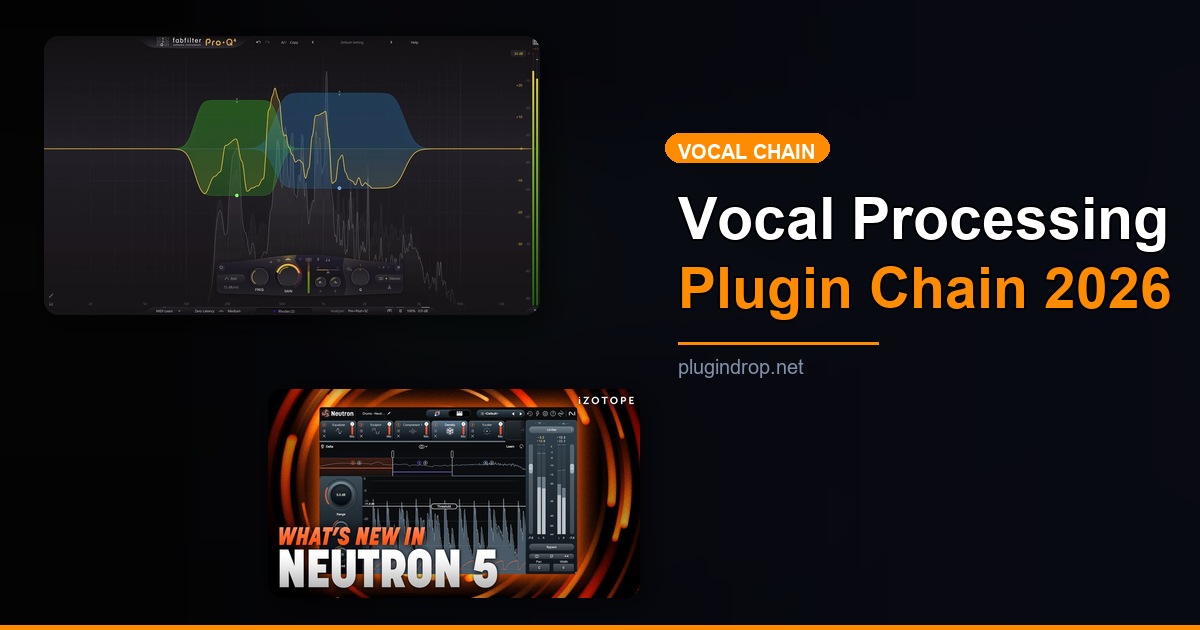
Complete Vocal Processing Chain: Best VST Plugins for Every Step (2026)
TL;DR: Building a complete vocal processing chain in 2026 means choosing the right VST plugin for each stage — pitch correction, EQ, de-essing, compression, enhancement, and reverb. iZotope Nectar 4 is the best all-in-one solution for producers who want speed and AI-assisted results; for maximum control, a modular chain anchored by FabFilter Pro-Q 4 and FabFilter Pro-C 2 delivers professional results at every level.
Quick Picks at a Glance
| Plugin | Price | Best For | Get It |
|---|---|---|---|
| Waves Tune Real-Time | $49 | Low-latency pitch correction | Plugin Boutique |
| FabFilter Pro-Q 4 | €179 | Surgical & creative EQ | Plugin Boutique |
| Waves Sibilance | $29 | Spectral de-essing | Plugin Boutique |
| FabFilter Pro-C 2 | €149 | Transparent & character compression | Plugin Boutique |
| iZotope Nectar 4 | $249 | All-in-one AI vocal suite | Plugin Boutique |
| Valhalla Supermassive | Free | Lush vocal reverb & delay | Plugin Boutique |
Introduction
Getting vocals to sit right in a mix is one of the hardest skills in music production — and in 2026, the plugin market is more capable than ever of helping you nail every step of the complete vocal processing chain VST plugins workflow. Whether you’re mixing pop, hip-hop, R&B, or indie rock, the fundamentals remain the same: fix the performance, shape the tone, control the dynamics, and place the voice in the room. The difference between a rough demo and a release-ready vocal often comes down to which plugins you’re using, and in what order.
This guide walks through six discrete processing stages with one standout plugin recommendation at each step. Every plugin here is actively maintained, battle-tested in professional studios, and available through reputable storefronts. The signal flow moves from pitch correction through to reverb — exactly the order your DAW should see them.
Whether you’re building your first vocal chain or auditing the one you’ve relied on for years, this guide gives you a clear, actionable framework. Each section includes pricing, platform support, and direct buy links so you can start upgrading your chain today.
Step 1: Pitch Correction — Fix the Performance First
Pitch correction belongs at the front of the chain, before any EQ or dynamics processing. Correcting pitch after compression changes the tonal relationship between the artifacts and the processed signal, making tuning more audible. Fix intonation first, then shape everything else around a locked-in performance.
Waves Tune Real-Time — The go-to low-latency tuner for tracking and mixing
- Developer: Waves Audio
- Price: $49
- Platforms: Windows, macOS
- Formats: VST3, AU, AAX
Waves Tune Real-Time is built for sessions where latency kills the vibe — its near-zero processing delay makes it viable during live recording, not just post-production. The correction algorithm is natural-sounding across a wide range of speed settings, covering everything from transparent tuning to aggressive auto-tune effects depending on how far you dial back the speed control. A simple, readable interface means you spend less time clicking and more time recording.
Best for: Producers who need reliable, low-latency pitch correction that works in both tracking and mixing contexts.
Watch a demo: YouTube
→ Get Waves Tune Real-Time on Plugin Boutique
Step 2: Corrective EQ — Cut Problems Before You Boost Anything
Once the pitch is locked, the next job is removing frequency problems: low-end rumble, boxy buildup, and any resonant peaks that come from the room or the microphone. High-pass first, then hunt for narrow problem frequencies. Save any tonal shaping or presence boosts for a second EQ instance later in the chain.
FabFilter Pro-Q 4 — The industry-standard vocal EQ with no meaningful competition
- Developer: FabFilter
- Price: €179
- Platforms: Windows, macOS
- Formats: VST, VST3, AU, AAX
FabFilter Pro-Q 4 is the benchmark EQ for vocal work in 2026, and it earns that status with features that genuinely change how you mix. The dynamic EQ mode is the standout for vocals — it lets you target problem frequencies that only appear at certain volumes, solving the classic problem of a cut that kills the tone every time it’s not needed. Mid/side processing per band, a high-resolution spectrum analyzer, and zero-latency mode complete a package that handles both corrective cleanup and creative shaping in a single instance.
Best for: Engineers who want one EQ that does everything from a surgical 80 Hz high-pass to transparent 3 kHz presence work.
Watch a demo: YouTube
→ Get FabFilter Pro-Q 4 on Plugin Boutique
Step 3: De-essing — Kill Harshness Before It Hits the Compressor
De-essing before compression is critical: compressors react to peaks, and sibilant transients are among the loudest peaks a vocal produces. If you compress first, the de-esser then has to work harder and risks over-processing the already-compressed signal. Tame the harshness early and let compression work on a cleaner, more consistent input.
Waves Sibilance — Spectral de-essing that sounds completely invisible
- Developer: Waves Audio
- Price: $29
- Platforms: Windows, macOS
- Formats: VST3, AU, AAX
Waves Sibilance uses spectral shaping rather than traditional band-based detection, which means it identifies and reduces the actual sibilant content in the waveform rather than pulling down everything in a fixed frequency range. The practical result is a de-esser that listeners genuinely cannot hear — even at aggressive threshold settings, the vowels retain their natural brightness and air. A single threshold knob and a sensitivity slider keep the workflow fast.
Best for: Any vocal that needs de-essing without the lispy, over-processed artifacts that older detection designs produce.
→ Get Waves Sibilance on Plugin Boutique
Step 4: Compression — Control Dynamics and Add Glue
With pitch corrected, tonal problems cut, and sibilance tamed, the compressor finally receives a consistent, well-behaved signal. Compression this late in the chain can be gentler and more musical — you’re not fighting peaks created by tuning artifacts or harshness, just riding the natural dynamic range of the performance.
FabFilter Pro-C 2 — Eight compression styles, one plugin, zero compromises
- Developer: FabFilter
- Price: €149
- Platforms: Windows, macOS
- Formats: VST, VST3, AU, AAX
FabFilter Pro-C 2 covers eight distinct compression styles in a single plugin — from clean transparent limiting to classic opto and vintage VCA character. For vocal work, the “Clean” and “Vocal” modes are particularly effective, delivering consistent level control without squashing transients or introducing unwanted coloration. A real-time gain reduction meter, lookahead control, and side-chain EQ give you precise command over exactly how the compressor responds to the incoming vocal.
Best for: Producers who want one compressor that handles both transparent gain riding and vintage character compression depending on the style.
Watch a demo: YouTube
→ Get FabFilter Pro-C 2 on Plugin Boutique
Step 5: Enhancement & Saturation — Add Presence, Dimension, and Character
After dynamics are controlled, this is where you add back the color and life that clinical processing can strip away. Harmonic saturation adds warmth and presence without needing to boost with EQ. A second EQ pass for presence or air also lives here. This step is where the vocal stops sounding processed and starts sounding like a record.
iZotope Nectar 4 — AI-assisted vocal shaping in one intelligent suite
- Developer: iZotope
- Price: $249
- Platforms: Windows, macOS
- Formats: VST3, AU, AAX
iZotope Nectar 4 is the most comprehensive vocal processing suite available in 2026, combining EQ, compression, de-essing, saturation, pitch correction, and harmonic enhancement into a single intelligent plugin. Its Vocal Assistant analyzes your vocal and suggests a calibrated starting preset in seconds — invaluable when you’re working through a multi-track session. The Unmask feature is what separates Nectar from the competition: it communicates with other iZotope plugins to automatically carve frequency space for the vocal in the broader mix, something no combination of individual third-party plugins replicates.
Best for: Producers who want an AI-assisted, all-in-one vocal processing suite that shortens the mixing workflow without sacrificing quality.
Watch a demo: YouTube
→ Get iZotope Nectar 4 on Plugin Boutique
Step 6: Reverb & Space — Place the Vocal in the Room
Reverb belongs last in the chain and almost always on a dedicated send/return bus at 100% wet rather than inserted directly on the vocal channel. This lets you blend the dry and wet signals independently and avoid the reverb pre-delay from affecting your dynamics processing. A little space goes a long way; less reverb than you think is usually right.
Valhalla Supermassive — World-class reverb and delay, completely free
- Developer: Valhalla DSP
- Price: Free
- Platforms: Windows, macOS
- Formats: VST, VST3, AU, AAX
Valhalla Supermassive is arguably the best free plugin ever released. Its reverb algorithms — developed by the same team behind Valhalla’s paid lineup — deliver lush, evolving spaces that work across everything from subtle room ambience to vast, cinematic washes. The delay modes and built-in modulation controls extend it well beyond a simple reverb into creative territory that many paid plugins can’t match. The fact that it costs nothing makes it the easiest recommendation in this entire guide.
Best for: Producers at every level who need a professional, versatile reverb and delay without any financial commitment.
Watch a demo: YouTube
→ Download Valhalla Supermassive Free
→ Find Valhalla Supermassive on Plugin Boutique
Worth Upgrading To
Once your core chain is locked in, these bundles and premium options offer the next level of integration, workflow efficiency, and value per dollar.
iZotope Nectar 4 — The all-in-one vocal chain, fully integrated
- Developer: iZotope
- Price: $249
- Why upgrade: Running separate plugins for EQ, compression, de-essing, and saturation works — but Nectar 4 consolidates all of them into one intelligent workflow with inter-plugin communication that individual plugins simply cannot replicate. The Vocal Assistant alone saves hours across a full project, and Unmask is a feature you can’t buy anywhere else.
→ Get iZotope Nectar 4 on Plugin Boutique
Waves Vocal Bundle — The complete Waves vocal toolkit in one purchase
- Developer: Waves Audio
- Price: From $99
- Why upgrade: The Waves Vocal Bundle packages Tune Real-Time, Sibilance, CLA Vocals, Renaissance Vox, and additional vocal tools into a single purchase at a significant discount over individual plugin pricing. If you’re already reaching for multiple Waves vocal plugins per session, the bundle math works strongly in your favor.
→ Get Waves Vocal Bundle on Plugin Boutique
FabFilter Total Bundle — Every FabFilter plugin, one investment
- Developer: FabFilter
- Price: €899
- Why upgrade: If Pro-Q 4 and Pro-C 2 are already earning their place in your chain, the Total Bundle adds Pro-DS (dedicated de-esser), Pro-MB (multiband compressor), Pro-L 2 (limiter), and the full suite of FabFilter creative and mixing tools at a meaningful discount over individual purchases. For engineers who mix professionally, it’s the last plugin bundle decision you’ll need to make.
→ Get FabFilter Total Bundle on Plugin Boutique
Full Comparison Table
| Plugin | Price | Type | Highlights | CTA |
|---|---|---|---|---|
| Waves Tune Real-Time | $49 | Pitch Correction | Low-latency, natural tuning, simple UI | Buy |
| FabFilter Pro-Q 4 | €179 | EQ | Dynamic EQ, M/S per band, zero-latency mode | Buy |
| Waves Sibilance | $29 | De-esser | Spectral detection, invisible results | Buy |
| FabFilter Pro-C 2 | €149 | Compressor | 8 compression styles, vocal mode | Buy |
| iZotope Nectar 4 | $249 | Full Vocal Suite | AI assistant, Unmask, all-in-one | Buy |
| Valhalla Supermassive | Free | Reverb/Delay | Lush Valhalla algorithms, completely free | Free |
| Waves Vocal Bundle | From $99 | Bundle | Full Waves vocal toolkit at bundle pricing | Buy |
| FabFilter Total Bundle | €899 | Bundle | Every FabFilter plugin, best per-plugin value | Buy |
How to Choose
- If you’re starting out and want one plugin to handle the full chain, go with iZotope Nectar 4 — the AI Vocal Assistant removes the guesswork, and the all-in-one workflow means you’re focused on the music rather than signal routing decisions.
- If you want the best EQ available with no compromises, FabFilter Pro-Q 4 is the answer — its dynamic EQ mode solves problems that static equalizers simply cannot address without coloring the whole signal.
- If your vocals sound harsh or brittle, Waves Sibilance is the most transparent de-esser in its price range — spectral detection means it works without affecting the vowels, even at aggressive settings.
- If you need pitch correction that works during tracking, Waves Tune Real-Time is the only plugin in this roundup designed explicitly for zero-latency use on live vocal inputs.
- If your budget is limited and you only pick one free plugin, make it Valhalla Supermassive — the quality-to-cost ratio is unmatched by anything else in the VST market.
FAQ
What order should VST plugins go in a vocal processing chain?
The standard professional order is: pitch correction → corrective EQ → de-esser → compression → enhancement/saturation → reverb and delay. This sequence ensures you fix the fundamental issues before adding dynamics control and spatial processing. Running reverb before compression, for example, causes the reverb tail to get pumped by the compressor, which produces an unnatural swell that’s difficult to fix in the mix.
Do I need a dedicated de-esser, or can my EQ handle sibilance?
An EQ can cut sibilance, but a static cut in the 6–10 kHz range reduces presence and air on every vowel, not just during sibilant consonants. A dedicated spectral de-esser like Waves Sibilance only activates when harshness is actually present, leaving the natural brightness of the vocal intact the rest of the time. For professional results, a dedicated de-esser is worth the slot.
Is iZotope Nectar 4 worth it if I already own FabFilter Pro-Q 4 and Pro-C 2?
Yes — primarily because of the Unmask feature, which communicates with other iZotope plugins to carve frequency space for the vocal in the broader mix. No combination of individual third-party plugins replicates this inter-plugin communication. If you’re mixing many vocals across multiple projects, Nectar 4’s Vocal Assistant also provides calibrated starting points that save meaningful time even for experienced engineers.
Can Valhalla Supermassive be used on professional, commercial releases?
Absolutely. It appears on commercial releases across pop, film scoring, and electronic music. Being free reflects Valhalla DSP’s distribution strategy, not a quality compromise — the reverb algorithms share lineage with the paid Valhalla lineup. Always run it on a dedicated send bus at 100% wet and blend to taste on the return fader.
What is the difference between FabFilter Pro-Q 4 and Pro-C 2?
Pro-Q 4 is an equalizer that shapes frequency content. Pro-C 2 is a compressor that controls dynamic range. They solve different problems and both belong in a complete vocal chain. Use Pro-Q 4 to remove problem frequencies and shape tone, and Pro-C 2 to even out the performance level and optionally add character. They are not interchangeable.
Final Thoughts
The complete vocal processing chain in 2026 does not require a rack full of hardware or a sprawling plugin folder — it requires six well-chosen tools applied in the right order. For producers who want the most flexible, modular approach, the combination of Waves Tune Real-Time, FabFilter Pro-Q 4, Waves Sibilance, FabFilter Pro-C 2, and Valhalla Supermassive covers every stage of the chain at a professional standard. For producers who want to move faster and let AI handle the calibration work, iZotope Nectar 4 remains the single most capable vocal plugin available in 2026 — and the one most likely to close the gap between your rough mix and the final master.
→ Get iZotope Nectar 4 on Plugin Boutique
Related Guides
- Plugin Bundle Price Comparison 2026 — Cost Per Plugin Ranked
- 12 Best Free Vocal VST Plugins in 2026 (Tuning, Compression, Effects)
- 12 Best Free Compressor VST Plugins in 2026 (Every Style Covered)
- 10 Best Free Delay VST Plugins in 2026 (Tape, Digital, Multi-tap)
- 10 Best Free EQ VST Plugins in 2026 (Mixing & Mastering)
This post contains affiliate links. We may earn a small commission at no extra cost to you.