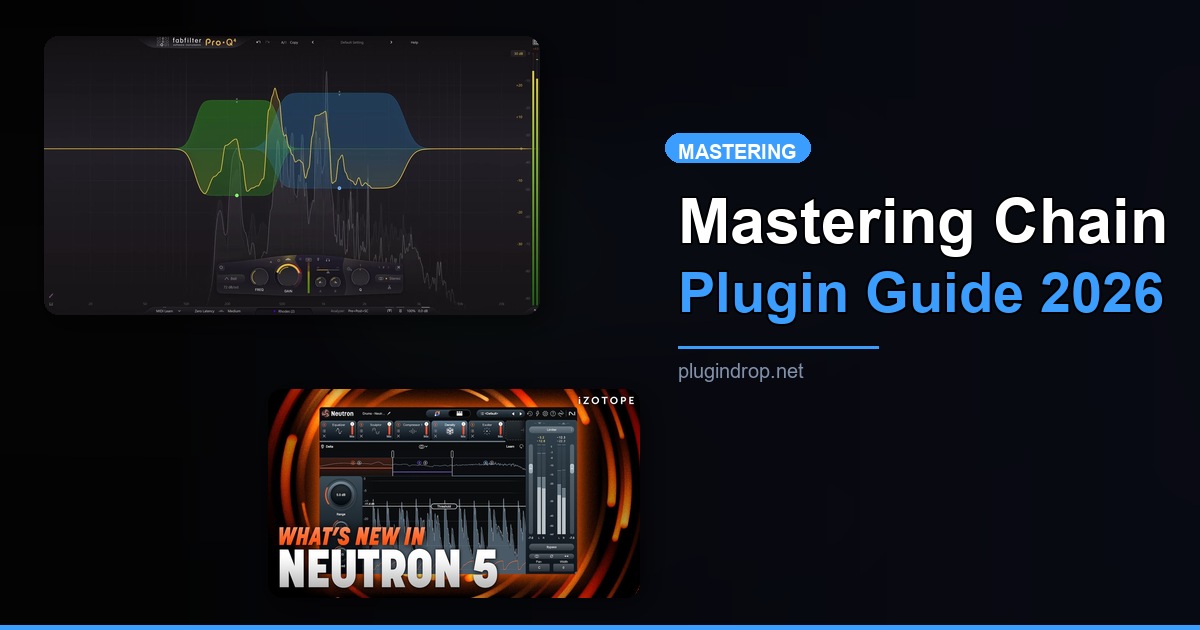
The Complete Mastering Plugin Chain: 6 Plugins for a Pro Master (2026)
TL;DR: For a professional master in 2026, iZotope Ozone 12 is the single most powerful plugin in this chain — it handles EQ, dynamics, imaging, and limiting in one suite. Pair it with FabFilter Pro-Q 4 for surgical corrections, FabFilter Pro-L 2 for transparent brick-wall limiting, and keep SPAN plus Youlean on your meters at all times. Follow this six-step chain and your masters will translate everywhere.
Quick Picks at a Glance
| Plugin | Price | Best For | Get It |
|---|---|---|---|
| SPAN (Voxengo) | Free | Real-time spectrum analysis | Plugin Boutique |
| FabFilter Pro-Q 4 | $179 | Surgical mastering EQ | Plugin Boutique |
| iZotope Ozone 12 | $349 | All-in-one mastering suite | Plugin Boutique |
| FabFilter Pro-L 2 | $199 | Transparent brick-wall limiting | Plugin Boutique |
| Youlean Loudness Meter 2 | Free | LUFS & streaming targets | Plugin Boutique |
| iZotope Insight 2 | $199 | Professional broadcast metering | Plugin Boutique |
Introduction
Mastering is the final quality gate between your mix and every listener’s ears — and in 2026, the expectations are higher than ever. Streaming normalization targets, spatial audio delivery, and platform-specific loudness specs have made a clean, intelligent complete mastering chain VST plugins 2026 setup non-negotiable for anyone releasing music professionally. Getting the signal chain right is just as important as choosing the right tools.
This guide walks you through a proven six-step mastering chain used by professional engineers worldwide. Each step has a clear purpose: spectrum analysis, surgical EQ correction, broadband dynamic processing, limiting, and metering at both the consumer and broadcast levels. Every plugin below earns its slot — nothing is included for brand recognition alone.
Whether you’re mastering your own productions or running a small mastering studio, this chain gives you full visibility and control from the first node to the final true peak ceiling. Bookmark this page — it’s built to stay relevant as the plugin landscape evolves.
The 6-Step Mastering Chain
Step 1: Spectrum Analysis
SPAN (Voxengo) — The always-on reference analyzer every mastering engineer needs
- Developer: Voxengo
- Price: Free
- Platforms: Windows, macOS
- Formats: VST2, VST3, AU, AAX
SPAN is the industry’s go-to free FFT spectrum analyzer, and there’s a reason it lives permanently on tens of thousands of mastering chains. Its real-time frequency display is accurate, low-latency, and highly configurable — you can adjust slope, resolution, and averaging to suit analytical or musical listening needs. Load it first in your chain (or use it on a parallel analysis bus) to get a clear picture of what your mix is actually doing before you touch a single knob.
Best for: Engineers who want a reliable, zero-cost spectral reference that never colors the sound.
→ Download SPAN Free → Find SPAN on Plugin Boutique
Step 2: Surgical EQ
FabFilter Pro-Q 4 — The gold standard for transparent, precise mastering EQ
- Developer: FabFilter
- Price: $179
- Platforms: Windows, macOS
- Formats: VST2, VST3, AU, AAX
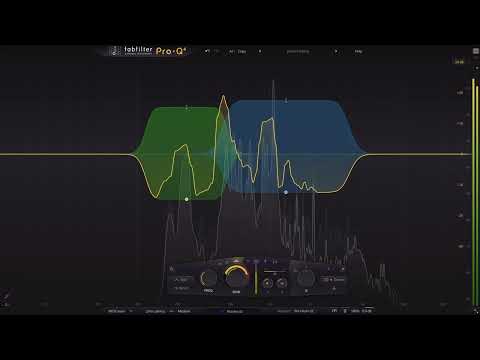
FabFilter Pro-Q 4 is the EQ that most professional mastering engineers reach for first when they need surgical precision without coloration artifacts. Its per-band mid/side processing, dynamic EQ capability, and zero-latency mode make it a true Swiss Army knife for mastering. The spectrum grab feature — letting you click directly on a problem frequency in the spectrum display to create a filter — saves real time on problem-solving sessions.
What separates Pro-Q 4 from cheaper alternatives is its phase response flexibility. Linear phase mode keeps transients intact on complex material; natural phase mode adds minimal coloration for analogue-style warmth when you want it. At the mastering stage, that choice matters enormously.
Best for: Precise tonal shaping, removing build-ups, and adding subtle air or low-end weight without pumping artifacts.
→ Get FabFilter Pro-Q 4 on Plugin Boutique
Step 3: Full Mastering Suite
iZotope Ozone 12 — The most complete AI-powered mastering environment available
- Developer: iZotope
- Price: $349 (Standard)
- Platforms: Windows, macOS
- Formats: VST3, AU, AAX
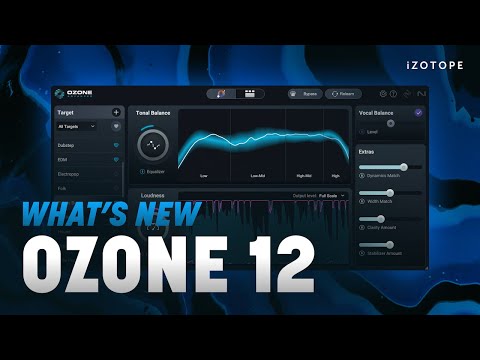
iZotope Ozone 12 is the centerpiece of this chain — a full mastering environment housing EQ, dynamics, stereo imaging, harmonic excitation, and maximizer modules under one roof, with an AI-powered Master Assistant that analyzes your track and generates an intelligent starting point. For producers mastering their own work, Ozone 12’s guided approach removes the guesswork while still leaving all the manual control available for refinement.
The Stabilizer module introduced in recent versions is particularly useful: it analyzes your mix’s spectral consistency and applies transparent dynamic EQ correction, something that previously required multiple plugins. The improved Imager gives precise control over stereo width at individual frequency bands, which is critical for preserving mono compatibility on streaming and club systems alike.
Best for: Engineers who want a complete, AI-assisted mastering environment with every tool in one interface.
→ Get iZotope Ozone 12 on Plugin Boutique
Step 4: Brick-Wall Limiting
FabFilter Pro-L 2 — Transparent, algorithm-rich limiting that holds up on every platform
- Developer: FabFilter
- Price: $199
- Platforms: Windows, macOS
- Formats: VST2, VST3, AU, AAX
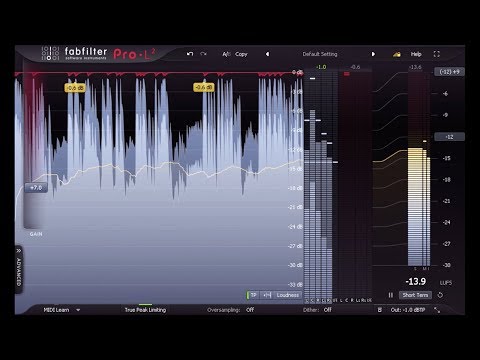
FabFilter Pro-L 2 is the finishing limiter of choice for engineers who need to hit competitive loudness targets without sacrificing transient integrity or introducing inter-sample clipping. Its eight selectable limiting algorithms — from transparent to punchy to aggressive — give you the right tool for every genre, and true peak metering ensures your masters pass platform validation on Spotify, Apple Music, and YouTube without surprises.
The oversampling options (up to 32x) and the integrated loudness metering panel (LUFS, true peak, LRA) mean you can make loudness decisions directly at this stage without switching windows. The output ceiling should sit at -1.0 dBTP for most streaming platforms — set it here and trust Pro-L 2 to enforce it.
Best for: Final brick-wall limiting with true peak control, especially for streaming-optimized masters.
→ Get FabFilter Pro-L 2 on Plugin Boutique
Step 5: Streaming Loudness Compliance
Youlean Loudness Meter 2 — Fast, free LUFS metering with real streaming platform presets
- Developer: Youlean
- Price: Free (Pro version available)
- Platforms: Windows, macOS
- Formats: VST2, VST3, AU, AAX
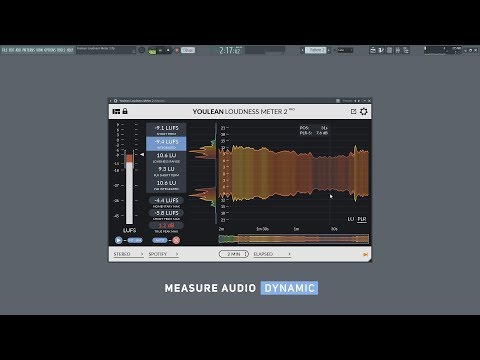
Youlean Loudness Meter 2 is the fastest way to verify your integrated LUFS against real streaming platform targets — Spotify, Apple Music, YouTube, Tidal, Amazon Music, and more are all baked in as preset targets. The free version covers all essential metering: integrated LUFS, short-term, momentary, true peak, and loudness range (LRA). You don’t have to guess whether your master is too hot or too quiet for a given platform.
Place Youlean at the end of your chain, after your limiter, and run the track in real time to capture accurate integrated loudness data. The visual history graph makes it easy to spot sections where dynamics collapse or where brief loud peaks skew your overall readings.
Best for: Any producer or engineer mastering for streaming who needs immediate platform-specific loudness feedback.
→ Download Youlean Loudness Meter 2 Free → Get Youlean Loudness Meter 2 on Plugin Boutique
Step 6: Professional Broadcast Metering
iZotope Insight 2 — Deep, broadcast-grade metering for engineers who need the full picture
- Developer: iZotope
- Price: $199
- Platforms: Windows, macOS
- Formats: VST3, AU, AAX
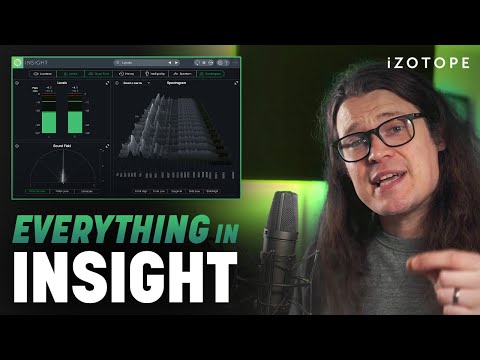
iZotope Insight 2 goes beyond simple LUFS readouts to give you a full metering suite: loudness history, true peak, LRA, spectrogram, 3D stereo field, intelligibility scoring, and compliance reporting against broadcast standards including EBU R128 and ATSC A/85. For engineers delivering to film, television, podcast networks, or premium streaming services, Insight 2 provides the documentation and visual evidence that Youlean’s free tier doesn’t offer.
The loudness history timeline is especially valuable when mastering for video sync — you can identify exactly which moments cause loudness spikes and go back to Ozone or Pro-L 2 to address them. Think of Insight 2 as the QA layer sitting alongside your entire chain, not just a finishing meter.
Best for: Broadcast delivery, film/TV sync, and professional engineers who need compliance reporting and deep metering history.
→ Get iZotope Insight 2 on Plugin Boutique
Worth Upgrading To (Paid Options)
If you’re currently running a stripped-back chain with free alternatives at any of these positions, these two plugins represent the clearest performance jumps available at any price point.
iZotope Ozone 12 — The all-in-one suite that replaces five separate tools
- Developer: iZotope
- Price: $349 (Standard)
- Why upgrade: Free mastering plugins and entry-level suites don’t offer AI-assisted starting points, per-module spectral shaping, or a dedicated Stabilizer module for tonal consistency. Ozone 12 consolidates EQ, dynamics, imaging, excitation, and maximizing into a single, integrated environment — eliminating plugin chain complexity while raising the ceiling of what’s achievable.
→ Get iZotope Ozone 12 on Plugin Boutique
FabFilter Pro-L 2 — The limiter that professionals trust for streaming delivery
- Developer: FabFilter
- Price: $199
- Why upgrade: Stock DAW limiters and free alternatives lack true peak metering accurate enough to prevent intersample distortion on streaming encodes. Pro-L 2’s eight limiting algorithms, 32x oversampling, and built-in LUFS metering give you the transparency and platform-compliance tools that budget limiters simply don’t provide.
→ Get FabFilter Pro-L 2 on Plugin Boutique
Full Comparison Table
| Plugin | Price | Type | Highlights | CTA |
|---|---|---|---|---|
| SPAN (Voxengo) | Free | Spectrum Analyzer | Real-time FFT, configurable slope, zero latency | Plugin Boutique |
| FabFilter Pro-Q 4 | $179 | EQ | Per-band M/S, dynamic EQ, linear phase, spectrum grab | Plugin Boutique |
| iZotope Ozone 12 | $349 | Mastering Suite | AI Master Assistant, Stabilizer, Imager, Maximizer | Plugin Boutique |
| FabFilter Pro-L 2 | $199 | Limiter | 8 algorithms, true peak, 32x oversampling, LUFS readout | Plugin Boutique |
| Youlean Loudness Meter 2 | Free | Loudness Meter | Platform presets, integrated LUFS, history graph | Plugin Boutique |
| iZotope Insight 2 | $199 | Metering Suite | Broadcast compliance, loudness history, 3D stereo field | Plugin Boutique |
How to Choose
- If you’re mastering your own music for Spotify and Apple Music, start with Ozone 12 (for the AI-guided workflow) + Youlean Loudness Meter 2 (free) — you can get a release-ready master without the rest of the chain.
- If you’re a working engineer handling client work, run the full six-step chain; Pro-Q 4 for surgical corrections and Insight 2 for compliance documentation are worth every penny when your reputation is on the line.
- If budget is tight, SPAN + Youlean Loudness Meter 2 are both free — layer them over whatever processing you have and you’ll immediately make better-informed loudness and tonal decisions.
- If you’re delivering to film, TV, or podcasts, iZotope Insight 2 is non-negotiable; EBU R128 and ATSC A/85 compliance reporting isn’t available in the free metering alternatives.
- If you produce electronic music and want maximum loudness, FabFilter Pro-L 2’s “Modern” and “Aggressive” algorithm modes push harder than any other transparent limiter at this price point — it’s the finishing tool that makes club masters hit.
FAQ
What order should mastering plugins go in the chain? Analysis first (SPAN on a parallel bus), then EQ (Pro-Q 4), then your mastering suite dynamics and imaging (Ozone 12), then your final limiter (Pro-L 2), with loudness meters (Youlean, Insight 2) at the very end of the chain to capture the final output accurately. Never meter before the limiter — you’ll get false readings.
Do I really need both Youlean Loudness Meter 2 and iZotope Insight 2? Not always. For most independent releases, Youlean Loudness Meter 2 (free) covers everything you need. Insight 2 becomes essential when you’re delivering to broadcast, film sync, or any client requiring documented loudness compliance reports. If that’s not your world, skip Insight 2 and save $199.
What LUFS target should I master to in 2026? For Spotify, target -14 LUFS integrated. For Apple Music (with Loudness Normalization on), -16 LUFS is a safer target to retain more dynamic range. YouTube normalizes to -14 LUFS. Set your true peak ceiling at -1.0 dBTP across all platforms to prevent intersample distortion after encoding.
Can iZotope Ozone 12 replace FabFilter Pro-Q 4 in the chain? Ozone 12 includes its own EQ module, and for many projects it’s sufficient. However, Pro-Q 4’s per-band mid/side processing, dynamic EQ, and spectrum grab workflow are significantly more flexible for complex problem-solving. Run both: Ozone 12 for broadband mastering processing, Pro-Q 4 for targeted surgical corrections before or after.
Is the complete mastering chain VST plugins 2026 setup overkill for bedroom producers? Start with Ozone 12 + Youlean Loudness Meter 2 — that’s a genuinely complete mastering setup for under $350 total (with Youlean free). Add Pro-Q 4 and Pro-L 2 once you’re working on material where you notice the limitations of Ozone’s internal modules. Insight 2 is a professional tool; add it when clients need it.
Final Thoughts
The complete mastering chain outlined here — SPAN for analysis, FabFilter Pro-Q 4 for surgical EQ, iZotope Ozone 12 as the mastering centerpiece, FabFilter Pro-L 2 for transparent limiting, and Youlean Loudness Meter 2 plus iZotope Insight 2 for metering — represents the professional standard in 2026 for good reason: each plugin does exactly one job better than almost anything else at its price point. If you can only buy one plugin from this list today, make it iZotope Ozone 12 — it’s the single tool that moves the needle most dramatically on master quality.
→ Get iZotope Ozone 12 on Plugin Boutique
This post contains affiliate links. We may earn a small commission at no extra cost to you.
Related Guides
- Plugin Bundle Price Comparison 2026 — Cost Per Plugin Ranked
- iZotope Ozone vs FabFilter Mastering: Which Wins?
- FabFilter Pro-L 2 Review: Best Mastering Limiter?
- Best Free Mastering Plugins 2026
- Best Limiter Plugins for Mastering 2026
This post contains affiliate links. We may earn a small commission at no extra cost to you.